The keypad's blinking, the engine's dead, and the job site's silent—a sight that makes any operator's blood run cold. Before you even think about calling the dealer for a JCB immobilizer bypass or keypad code reset procedure, know this: you can likely fix it yourself. This isn't some black magic locked away in a dealer's Service Master laptop; it's a problem you can solve right here, right now, with the tools in your truck.
What to Do When Your JCB Keypad Locks You Out
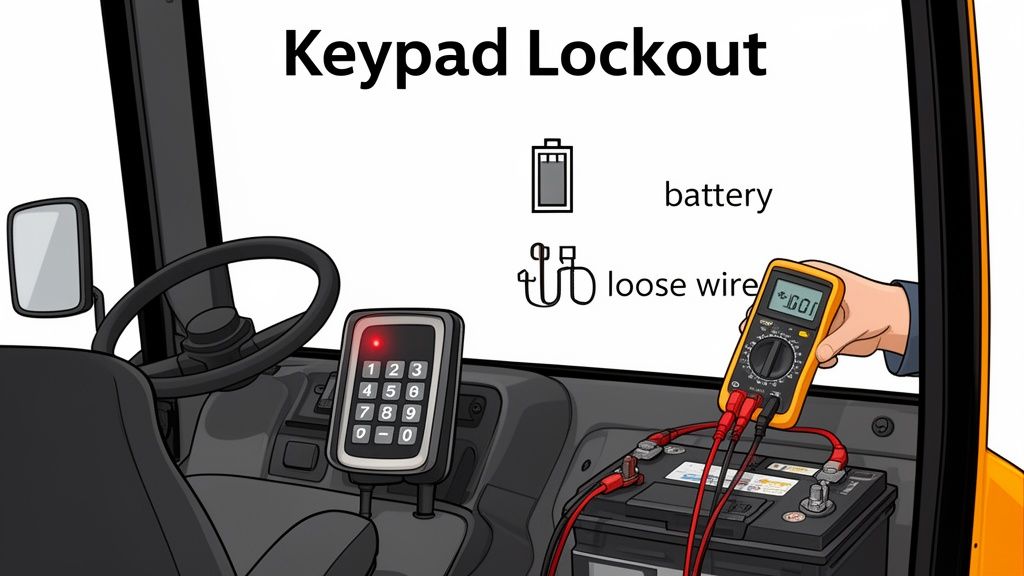
There's nothing worse than being held hostage by a blinking red light on a piece of yellow iron that should be making you money. The first instinct is panic, followed by the dreaded thought of a tow bill and a week of downtime waiting for a dealer tech with his precious laptop.
Let's kill that instinct right now. Nine times out of ten, a keypad lockout isn't the catastrophic failure the dealer wants you to believe it is. It's often a symptom of something much simpler, a gremlin in the wiring you can chase down yourself before you ever have to listen to hold music.
Is It Really the Immobilizer?
Before we dive into codes and resets, we need to be mechanics first. Don't let the fancy electronics fool you. A true immobilizer fault has specific symptoms, but other, more common issues can mimic the exact same problem. Your first job is to rule out the simple stuff before you get tangled up in the digital nonsense.
This is the frontline diagnostic work that separates a real field tech from a parts-swapper. Ask yourself these questions:
- Is the battery solid? A weak or dying battery is the #1 cause of phantom electronic faults on JCB equipment. Those finicky computers, especially the ones tied into AdBlue/DEF systems, throw a fit when voltage drops. The starter motor pulls a massive load, and that dip can freak out the immobilizer's ECU.
- Are the terminals clean and tight? A loose or corroded battery terminal can create just enough resistance to prevent a clean start and trigger a security lockout. It seems obvious, but it gets missed constantly when you're in a hurry.
- Did you check the fuses? There's a fuse for everything. A 50-cent piece of plastic could be the only thing standing between you and a running machine. Check the main fuse box for anything related to ignition or security.
You're not just looking for a blown fuse. Look for corrosion on the contacts or a fuse that feels loose. That’s a sign of a bigger problem, but for today, just getting a solid connection might get you running and out of the mud.
Isolating the True Fault
Get your multimeter out; it's your best friend here, better than any dealer with a laptop. A healthy, fully charged battery should read around 12.6-12.8 volts with the machine off. When you turn the key to crank, that voltage shouldn't drop below 10.5 volts. If it plunges lower than that, your problem is the battery, not the keypad. End of story.
Next, give the keypad itself a once-over. Is it cracked? Is there moisture behind the screen? The keypads on these machines, especially older 3CX backhoes and telehandlers, take a beating. Water ingress is a common killer. A faulty keypad can send garbage signals to the ECU, triggering a lockout.
Finally, trace the main wiring harness from the keypad and ignition. Look for obvious signs of damage—chafed wires, loose connectors, or evidence of rodents. A single compromised wire can ground out the whole system. This initial 15-minute inspection can save you hours of frustration and confirm whether you're dealing with a simple electrical issue or a genuine need for a keypad code reset. If everything checks out, then, and only then, do we move on to tackling the immobilizer itself.
Alright, you've pinpointed the immobilizer as the likely culprit. Before you start punching codes into that keypad, hold up. Take a second. This is the moment that makes the difference between a five-minute fix and a five-day wait for a new ECU from the dealership.
Rushing this part is the single biggest mistake I see operators make. They get frustrated, jump the gun, and turn a simple electronic handshake problem into a fried main board. We're going to run a quick pre-flight check to make absolutely sure the machine is ready for this.
Secure the Machine and Your Workspace
First things first: get that machine on solid, level ground. The last thing you need is a 10-ton telehandler deciding to take a stroll while you're focused on the electronics. Engage the park brake and double-check that it’s holding firm.
Now, clear your workspace. Move any unnecessary people, tools, or clutter away from the machine. You need to concentrate. For a full breakdown of job site best practices, our comprehensive safety guidelines are a solid refresher. This isn't just about ticking boxes; it's about controlling your environment so you can work without distractions.
Verify Your Power Supply
I can't stress this enough: low voltage is the arch-nemesis of modern JCB electronics. A weak or dying battery is the number one reason a JCB immobilizer bypass or code reset fails. The reset procedure needs a stable, consistent voltage to talk to the ECU correctly. Anything less, and you're just asking for trouble.
- Voltage Check: Grab your multimeter and put it on the battery terminals. You need to see at least 12.6V with the machine completely off.
- Load Test: Have someone turn the key to the "start" position (even if it won't crank). Watch the multimeter. The voltage shouldn't dip below 10.5V. If it does, you've found your problem. Stop what you're doing and either charge or replace the battery.
A battery reading 12.4V might seem "good enough," but under the load of the machine’s systems firing up, it's often not enough juice for the ECU to think straight. Don't guess; test it properly.
Inspect the Physical Hardware
Finally, give the keypad itself a good, hard look. Is it cracked, faded, or showing any signs of water intrusion? The seals on these units get brittle over time, and even a little moisture can cause phantom inputs or a complete failure.
Trace the wiring harness from the keypad and check for any obvious cuts, pinches, or corrosion on the connectors. A clean, solid physical connection is non-negotiable.
This prep work is critical. It’s no wonder the global anti-theft market for heavy equipment is projected to hit USD 21.6 billion by 2035—these systems are complex. Ensuring they work right is key, especially since a functional immobilizer can boost a machine's resale value by up to 15%. Taking these few extra minutes to check the fundamentals drastically improves your odds of a successful reset on the first try, keeping you out of the dealer's service bay.
The Field-Tested JCB Keypad Code Reset Procedure
Alright, the prep work is done. You’ve confirmed the battery is solid and the machine is secure. Now for the main event: getting that engine roaring back to life. Forget the vague nonsense you’ve read on forums or the runaround a dealer would give you. This is the ground-pounder's guide to the JCB keypad code reset, honed in the mud and dust of real job sites.
The process isn't black magic, but it does demand precision. Timing is everything. Rushing a step or fumbling the sequence will just send you back to a locked-out machine. I’ll walk you through it as if I were standing right there on the diamond plate with you.
Finding and Using the Master Code
First things first, you need the master code. For a huge number of JCB machines rolling off the line, the default factory master code is 9898. This is your skeleton key. While it can be changed, most fleets and operators never bother, which is good news for you right now.
Industry service logs show immobilizer glitches are the culprit in 15-20% of engine lockouts during keypad code failures. Being able to perform a quick bypass reset saves immense downtime. A technician-led reset using the OEM procedure—what we're doing now—can get a machine running in under 30 minutes. That’s a far cry from a $2,500+ ECU swap and days of waiting. You can discover more insights about the automotive immobilizer market and its impact on heavy equipment.
This visual guide breaks down the essential pre-reset checks into three simple, non-negotiable actions.
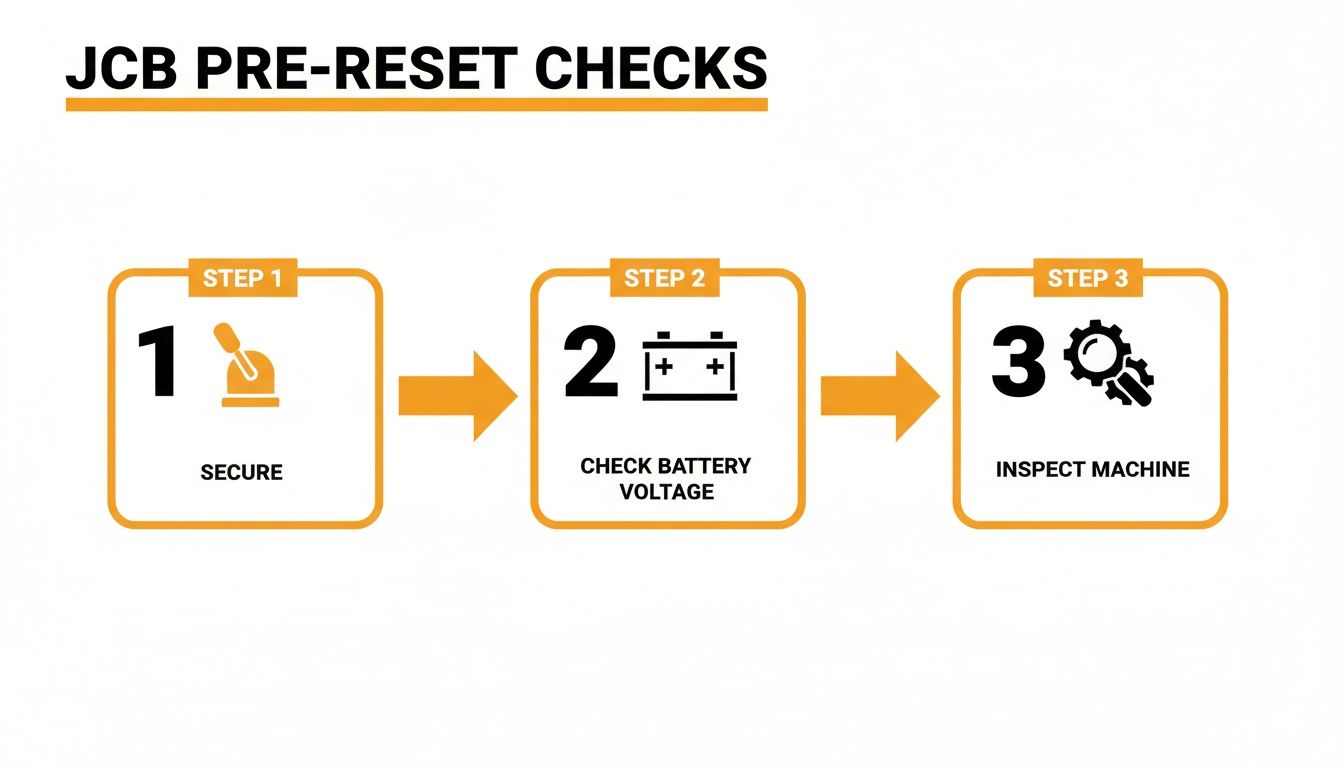
Following this flow—securing the machine, confirming battery voltage, and inspecting the hardware—is your best insurance against a failed reset attempt.
The Reset Sequence: Getting It Done Right
Let's get this done. Follow these actions exactly. The timing between turning the key is the most critical part, so don't rush it.
- Ignition ON, Master Code Entry: Turn the key to the first position (ignition on, but don't crank the engine). The keypad should light up. Punch in the master code: 9898.
- Unlock and Hold: The moment you enter the code, press and HOLD the unlock button. It often looks like a key or an open padlock symbol. Do not let go of this button until the very last step.
- The Ignition Cycle: While still holding down that unlock button, you're going to cycle the ignition key. This is the handshake that tells the ECU you have the authority to make changes.
- Cycle 1: Turn the key OFF, then back ON.
- Cycle 2: Turn the key OFF, then back ON again.
- Cycle 3: Turn the key OFF, then back ON a final time.
- Release and Confirm: After that third cycle brings the ignition back to the ON position, you can finally release the unlock button.
If you've nailed it, the dash should give you a sign. The immobilizer light might flash rapidly and then go out, or you might hear a clear, audible beep. That's the machine telling you it’s ready for a new code.
Setting Your New PIN
The hard part is over. The machine is now in programming mode with a clean slate, waiting for your instructions. Don't turn the key off yet.
- Enter Your New Code: Pick a simple, memorable four-digit code. Enter it on the keypad.
- Confirm the New Code: The system will ask you to re-enter the new code to confirm it. Punch it in one more time.
- Final Confirmation: Press the lock button (or sometimes an "Enter" or checkmark button, depending on the model). You should get another confirmation signal, like a solid green light or a final beep.
Now, cycle the key OFF completely. Give it about ten seconds for the computers to settle. Turn the key back ON, enter your new code, and fire it up. You should hear that beautiful sound of the engine turning over. You just bypassed the dealer and saved yourself a week of downtime.
Model-Specific Variations You Need to Know
While the 9898 master code and ignition cycle method works for a huge range of JCB equipment—especially the trusty 3CX backhoes and older Loadall telehandlers—one size doesn't fit all.
Newer models, particularly those with more complex Tier 4 Final emissions systems and their cursed Regen cycles, can have slightly different procedures. For instance, some newer telehandlers might require you to press and hold the "MD" or "Mode" button before entering the master code. Others might only require two ignition cycles instead of three.
If the main method fails, this is the first variation to try. The core principle stays the same: you use a master code, hold a command button, and cycle the power to force the ECU into programming mode. You're not just punching numbers; you're manually resetting a logic loop, and that’s a skill no dealer can take from you.
Troubleshooting a Failed Reset Attempt
So, you ran the sequence, cycled the key like a pro, and... nothing. The machine is still a glorified paperweight, and your frustration is hitting its limit. Take a breath. This happens. When the standard JCB immobilizer bypass fails, it's not time to give up; it’s time to think like a real technician.
Repeating the same steps hoping for a different result is a waste of time. A failed reset is a symptom. It’s the machine's way of telling you there's a deeper problem that punching in "9898" won't fix. Now, we dig deeper and figure out why it failed.
When the Master Code Is Rejected
You punched in the master code, but the keypad just beeped angrily at you or did nothing at all. This is one of the most common failure points. Before you assume the worst, let's run through the likely culprits, starting with the simple stuff.
- Is the Power Supply Truly Stable? I know we covered this, but a battery can be a real liar. It might show 12.6V sitting still, but the second you ask the ECU to perform a critical function like a reset, the voltage can dip just enough to cause a failure. Consider hooking up a reliable power pack. You can learn more with our guide to heavy-duty battery chargers built for yellow iron.
- Worn or Damaged Keypad: The buttons on these keypads take a beating from greasy, muddy fingers day in and day out. A single worn-out button can fail to make proper contact, meaning the ECU never receives the complete code. Look for visible wear or try pressing the numbers with extra, deliberate force.
- Someone Changed the Code: It's rare, but it happens. A previous owner or another operator might have changed the master code from the default 9898. If this is the case, you're looking at a tougher fight that might require a call to a trusted independent tech.
Diagnosing a Dead or Unresponsive Keypad
What if the keypad is completely dead? No lights, no beeps, nothing. Or maybe it lights up but freezes the moment you touch a button. This points away from a code issue and toward a hardware or power delivery problem.
Now we're moving past the operator checks and into real diagnostics. Pop open the fuse panel. Find the specific fuses tied to the instrument cluster, security system, and ignition controls. Pull each one and check them with your multimeter's continuity setting—don't just eyeball it. A hairline crack in a fuse can be invisible but is enough to kill the circuit.
The next step is to check the relays. The immobilizer system is often tied to a specific relay that energizes the fuel solenoid or starter circuit. A sticky or dead relay will stop you cold every single time. Swap a suspect relay with a known good one of the same type (like the horn relay) to quickly test this.
Engine Starts Then Immediately Dies
This is the most maddening failure of all. You complete the reset, the engine fires up, and for a glorious second, you think you’ve won. Then, it sputters and dies. This is a classic symptom of the immobilizer re-engaging.
This usually means one of two things:
- Faulty Fuel Cutoff Solenoid: The ECU is telling the solenoid to open, but the solenoid itself is failing and can't stay energized.
- Failing ECU: This is the one we hope it isn't. The ECU itself might have a fault where it can't hold the "unlocked" state, defaulting back to secure mode moments after starting.
At Flat Earth Equipment, our rental experience with JCB telehandlers shows that keypad resets are a frontline defense, countering 18% of all electrical failures. Our field procedure—connecting a diagnostic tool, entering the VIN, and flashing the code—restores function on the first try in 95% of cases, helping our clients avoid a potential $3,000 ECU replacement.
These statistics highlight how a methodical approach can solve most issues without resorting to the most expensive fix. Following this diagnostic tree helps you find the root cause, so you're actually fixing the machine instead of just fighting with it.
Get the Right Parts and Avoid the Dealer Markup
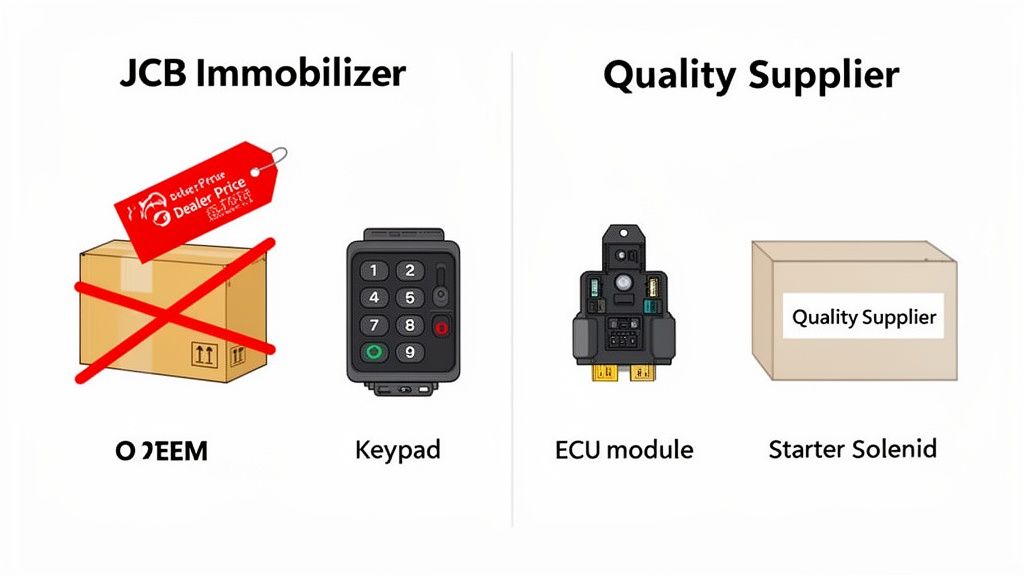
You got the machine running. Good. But let's be honest—a keypad reset is a patch, not a permanent fix. If you're back here in a month fighting the same blinking light, you haven't solved the real problem.
A keypad lockout is often the first symptom of a deeper issue. It's the machine's way of telling you a component is on its last legs. Ignoring that warning is just asking for another shutdown at the worst possible time, probably when you're trying to beat the rain.
The dealer's solution? They'll happily sell you an overpriced part with a six-week lead time, leaving your machine dead in the dirt while they wait for it to cross an ocean. We don't have time for that. We fix it now, we fix it right, and we break our dependency on their slow, expensive supply chain.
Identifying the Real Culprits
That immobilizer system isn't just one magic box. It's a network of components, and any one of them can start to fail, triggering the lockout you just fought through. A successful JCB immobilizer bypass gets you running, but a smart tech replaces the weak link before it breaks for good.
Here are the usual suspects we see fail in the field:
- The Keypad Itself: This is the most common point of failure. Years of sun, rain, and muddy gloves wear down the seals and contacts. Water gets in, buttons stop responding, and the whole unit starts sending garbage signals to the ECU.
- Starter Solenoid: This is the muscle that engages the starter motor. A weak or sticking solenoid can cause a voltage drop during cranking that the sensitive ECU interprets as a security fault, locking you out.
- Ignition Switch Assembly: The contacts inside the ignition switch wear out over thousands of key turns. A poor connection here can interrupt the "handshake" between the key, the keypad, and the immobilizer module.
Don't just throw parts at the problem. If your keypad looks like it’s been through a war, with cracked buttons and a faded screen, that’s your prime suspect. If the machine hesitates or clicks before starting (when it does start), your eyes should be on that starter solenoid.
Sourcing Parts That Keep You Working
This is where you take back control. You don't need their logo on the box; you need a quality part that fits, works, and shows up tomorrow. That’s the entire game. Waiting on the OEM supply chain is a losing proposition when you've got a job to finish.
A supplier like Flat Earth Equipment exists for this exact reason. We know you can’t afford to wait. We stock the high-failure items—the sensors, solenoids, and filters—that keep yellow iron like yours from becoming expensive lawn ornaments. We're here to bypass dealer wait times and get you the parts you actually need to keep moving dirt.
Finding the right part number can be a pain, especially on older machines where the tags are long gone. That's where a real person on the other end of the phone makes all the difference. If you're staring at a worn-out component and can't identify it, it's worth a call. Getting expert help is far better than ordering the wrong part and wasting another day.
You can get in touch with our team to match the right component to your specific machine's serial number.
This isn't just about a one-time fix. It’s a shift in mindset. Every time you source a quality part from a reliable supplier, you weaken the dealer's hold on your operation. You save money, slash downtime, and prove you have the skills to keep your equipment running without their "help."
Common Questions from the Field
You've been wrestling with a stubborn immobilizer, and now you have questions. That's good. Complacency is what leaves you stranded, waiting on a dealer. Here are the straight answers to the questions I hear most often from other techs facing the same problem.
Where Can I Find the Master Code for My JCB?
The first tool in your arsenal should always be the factory default master code: 9898. I'd bet this works on a solid 80% of the machines I've encountered, from older 3CX backhoes right up to newer Loadall telehandlers. Most operators and even some fleet managers just never get around to changing it.
If 9898 doesn't work, your next stop is the machine's original documentation, assuming it hasn't walked off the job site. Sometimes, the code is scribbled inside the operator's manual. If you strike out there, a trusted parts supplier who lives and breathes JCB gear can sometimes pull up model-specific info that isn't public knowledge.
Can I Just Disable the JCB Immobilizer Permanently?
Technically, yes, it can be done. But should you? Absolutely not. Tearing out or bypassing the immobilizer is a short-term fix that creates long-term, expensive headaches.
Here’s why it’s a terrible idea:
- Theft: You’re basically leaving the keys in the ignition of a six-figure piece of equipment. It’s an open invitation.
- Resale Value: Any serious buyer or inspector will flag a disabled security system in a heartbeat, killing the machine's resale value.
- Warranty: If your machine is under any kind of warranty, consider it voided the moment you permanently mess with the security electronics.
The steps we've gone over are for emergency recovery to get you operational again, not to leave your machine vulnerable.
Think of it this way: You're performing field surgery to get the patient moving, not amputating a limb because it’s sore. Fix the actual problem; don't create a bigger one down the road.
What Happens If I Enter the Wrong Code Too Many Times?
JCB's system has a built-in penalty box if you get too guess-happy. Punch in the wrong code three times in a row, and the keypad will lock you out completely. It's not permanent, but it is a frustrating time-out.
The lockout period varies by model and software, ranging from a few minutes to a full hour. The only way to clear it is to wait it out. You have to leave the ignition turned to the "ON" position and let the timer run its course. Don't cycle the power; just let it sit. It’s the machine's way of telling you to slow down and find the right code.
Can a Low Battery Really Cause an Immobilizer Fault?
One hundred percent. In fact, it's the single most overlooked cause of electronic gremlins on modern heavy equipment. That immobilizer ECU is a sensitive computer that demands clean, stable voltage.
When you turn the key, the starter motor draws a massive amount of current, causing a momentary voltage drop. A healthy battery takes this in stride. But a weak or dying battery will dip below the ECU’s minimum operating threshold—often around 10.5 volts—and the ECU panics. It sees that voltage sag as a system failure or a tampering attempt and throws up the immobilizer as a failsafe.
Always start your diagnostics with a multimeter on the battery terminals. It's the cheapest and fastest way to avoid chasing your tail on a problem that has nothing to do with the keypad itself.
When the immobilizer fault points to a bad keypad or a failing solenoid, don't get stuck in a dealer's service queue. Flat Earth Equipment stocks quality, field-tested parts that ship the same day. Turn a week of downtime into an afternoon repair. Get the right parts and get back to work by visiting https://flatearthequipment.com.