A heavy equipment laptop scanner combo is your weapon against eye-watering dealer service calls and the crippling downtime that comes with them. It’s a simple concept: a tough-as-nails laptop paired with a diagnostic scanner that plugs right into your machine’s guts.
This setup gives you the power to read the real fault codes, figure out what’s actually wrong, and get that yellow iron moving again—all without waiting for the dealer to grace you with their presence and their outrageous bill.
Your Weapon Against Dealer Lockouts And Costly Downtime
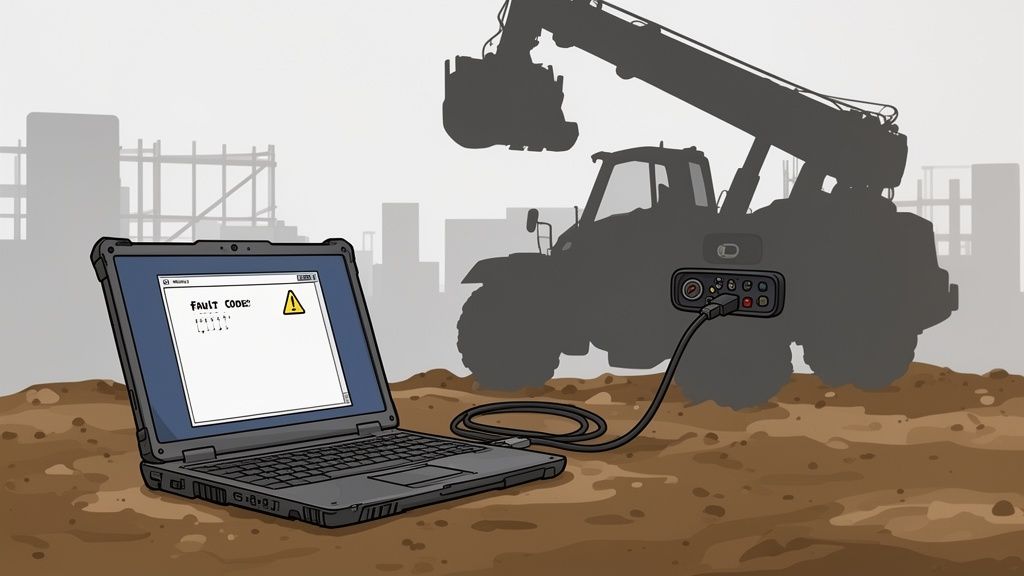
You know the feeling. You’re out in the mud, a JCB telehandler is dead in its tracks, and the dashboard is lit up like a Christmas tree. It's always some finicky AdBlue/DEF fault or a forced regen cycle that has brought your entire jobsite to a grinding halt. You’re burning daylight, and every minute that machine sits idle, money is flying out the window.
The dealer’s solution is always the same: wait for their tech, pay their ridiculous call-out fee, and lose a day—or more—of productivity. They hold the keys to their proprietary "Service Master" laptop, locking you out of your own equipment. Let’s be honest, it’s a business model built on your pain.
Taking Back Control from the Dealer
There’s a much better way. A heavy equipment laptop scanner combo is your declaration of independence. We’re talking about a field-ready laptop connected to a diagnostic tool that speaks the machine’s language—protocols like CAN bus and J1939. This kind of setup doesn't just pull generic OBD-II codes; it digs deep to find the specific, manufacturer-level fault codes the dealer doesn't want you to see.
This is about more than just reading codes. It's about taking back real control over your iron. With the right combo, you can:
- Pinpoint the exact problem: Is it a faulty NOx sensor, a clogged injector, or just a bad wire? The live data stream doesn't lie.
- Avoid unnecessary tows: Diagnose it where it sits. No more hauling a perfectly good machine back to the shop for what turns out to be a simple sensor replacement.
- Order the right part the first time: Stop guessing. Pull the exact part number and get what you need from a real supplier like us.
The difference between being stuck and getting back to work is stark. Here’s a quick look at how an independent diagnostic tool changes the game.
Dealer Diagnostics Vs Your Independent Laptop Combo
| Pain Point | The Dealer's Way (Service Master) | The Independent Tech's Way (Your Combo) |
|---|---|---|
| Downtime | Machine sits for 1-3 days waiting for a tech. | Diagnose in 15 minutes. Order the part. Get it running tomorrow. |
| Cost | $200+ call-out fee plus $150/hr labor. | One-time investment pays for itself in 1-2 uses. |
| Control | You're locked out. You depend on them. | You're in charge. You see the codes, you make the call. |
| Transparency | You get a vague explanation and a big bill. | You get the raw data and know exactly what failed. |
| Parts Sourcing | You're forced to buy their overpriced OEM parts. | You can source the part from anywhere, including Flat Earth Equipment. |
Having your own diagnostic combo puts the power back in your hands, saving you time, money, and a whole lot of headaches.
The Rise of Field-Ready Diagnostics
This shift towards independent diagnostics is happening everywhere. In the rugged world of heavy equipment, laptop scanner combos have completely changed the game for fleet managers and technicians servicing everything from forklifts to telehandlers. This trend is backed by a booming portable scanner market, which was valued at USD 1.68 billion and is projected to hit USD 2.43 billion by 2033.
The dealer wants you to believe that modern electronics are some kind of black magic only they can understand. The truth is, most "critical" electronic failures are simple component failures you can easily fix yourself—if you have the right tools to see the truth.
This guide is your battle plan. We'll show you how to arm yourself with the right gear to diagnose issues on the spot, source the parts you need from reliable suppliers like us at Flat Earth Equipment, and get your yellow iron running without ever making that dreaded call to the dealership. It’s time to take back control.
Assembling Your Field-Ready Diagnostic Arsenal
Forget what the dealer salesmen told you about their shiny, delicate diagnostic tablets. Building your own heavy equipment laptop scanner combo isn't about collecting toys; it’s about assembling a reliable weapon for the field. Your goal is to be tough, fast, and smart enough to outwit the dealer’s lockout game.
This is more than just buying a laptop and a cable. It’s about building a system where every piece is chosen to survive the grit, grease, and abuse of a real job site. The whole point is to have a tool that works when you pull it out of the truck—every single time.
The Brains of the Operation: The Rugged Laptop
Your standard office laptop will last about five minutes out here. It'll get crushed, drowned in coffee, or choked with dust. You need something built for a war zone, not a boardroom.
- Look for military-grade specs: You want a laptop that’s at least MIL-STD-810G certified. This means it’s been tested against drops, vibration, extreme temperatures, and moisture. Think Panasonic Toughbook or Dell Rugged series—these are the gold standard for a reason.
- Demand a Solid-State Drive (SSD): A traditional hard drive has moving parts. Hit one pothole on the way to a job, and that drive can fail, taking all your critical software with it. An SSD has no moving parts, making it faster, more reliable, and tough enough for the jarring reality of a work truck.
- Screen brightness matters: You’ll be working in direct sunlight. A dim screen is useless. Look for a display rated for outdoor visibility so you can actually read the fault codes without throwing a tarp over your head.
A dead battery can kill a diagnostic job just as fast as a bad sensor. When you're in the middle of forcing a regen or flashing a module, losing power is not an option. Keep your gear ready to roll by exploring reliable field charging options—check out our guide on heavy-duty battery chargers to make sure you're never caught powerless.
The Translator: The Vehicle Communication Interface
The Vehicle Communication Interface (VCI) is the heart of your entire setup. It's the black box that sits between your laptop and the machine, translating the complex electronic signals from the equipment into data your software can understand. A cheap, unreliable VCI will give you nothing but headaches, connection drops, and ghost codes.
Don’t cheap out on the VCI. It’s the single most critical piece of hardware in your diagnostic kit. A bad one is worse than having no tool at all because it will lie to you.
You need a proven, battle-tested unit that speaks the right languages. For our world of yellow iron, that means it must be fluent in J1939, the standard communication protocol for most heavy equipment. Reputable brands like Nexiq or Noregon are trusted in the industry because they are built to last and provide stable connections.
The Key to Freedom: The Right Software
This is where you truly fight back against the dealer. The software is what turns your hardware into a powerful diagnostic weapon. A generic code reader from an auto parts store is worthless here; it won’t read the proprietary codes that JCB and other manufacturers use to hide the real problems.
Your software absolutely must have two critical features:
- OEM-Level Code Reading: It needs to access the specific fault codes for JCB backhoes, telehandlers, and excavators. This is the difference between seeing a generic "Engine Fault" and seeing "P1404 - EGR Valve Stuck Closed."
- Bi-Directional Controls: This is the game-changer. It means you can send commands to the machine, not just read data from it. You can command a forced regen, actuate a solenoid to test it, cut out individual injectors, or run a cylinder performance test—all from your keyboard.
Finally, don't forget the physical connections. Your kit is incomplete without the right set of cables. A 9-pin Deutsch connector is mandatory for almost all modern equipment, but you’ll also want a collection of brand-specific adapters to make sure you’re prepared for anything you might find on site. This complete arsenal—rugged laptop, reliable VCI, and powerful software—is your ticket to fixing it right, right where it sits.
How To Bypass The Forced Regen Runaround
That flashing "Forced Regen Required" light is a dealer's best friend. It’s a carefully engineered message designed to do one thing: stop your job cold and get their service clock running. It's a hostage situation, and your machine—along with your day's profit—is the victim. They're counting on you to panic and call them.
Don't take the bait.
With your heavy equipment laptop scanner combo, you take command of the machine's Engine Control Module (ECM). You're no longer just a passenger watching warning lights. You now have the power to see exactly what the machine is thinking and tell it precisely what to do next.
A Real-World Field Scenario
Picture this common nightmare: a JCB Loadall telehandler starts throwing DEF codes and threatening to derate. The operator is on the phone, frustrated, telling you the machine is about to grind to a halt. The dealer’s playbook is to schedule a tech for tomorrow, maybe the day after.
Your playbook is to grab your laptop.
You connect your VCI to the 9-pin Deutsch port and launch your diagnostic software. Instead of a vague dashboard light, you see the raw, unfiltered fault codes straight from the ECM.
- Is a DEF injector clogged?
- Could a bad NOx sensor be sending faulty readings?
- Is the DEF pump failing to build enough pressure?
The software doesn't guess; it tells you. You can pull up live data streams and watch the entire aftertreatment system work—or fail—in real time.
This simple diagram shows the powerful, direct workflow you get with a proper field diagnostic kit.
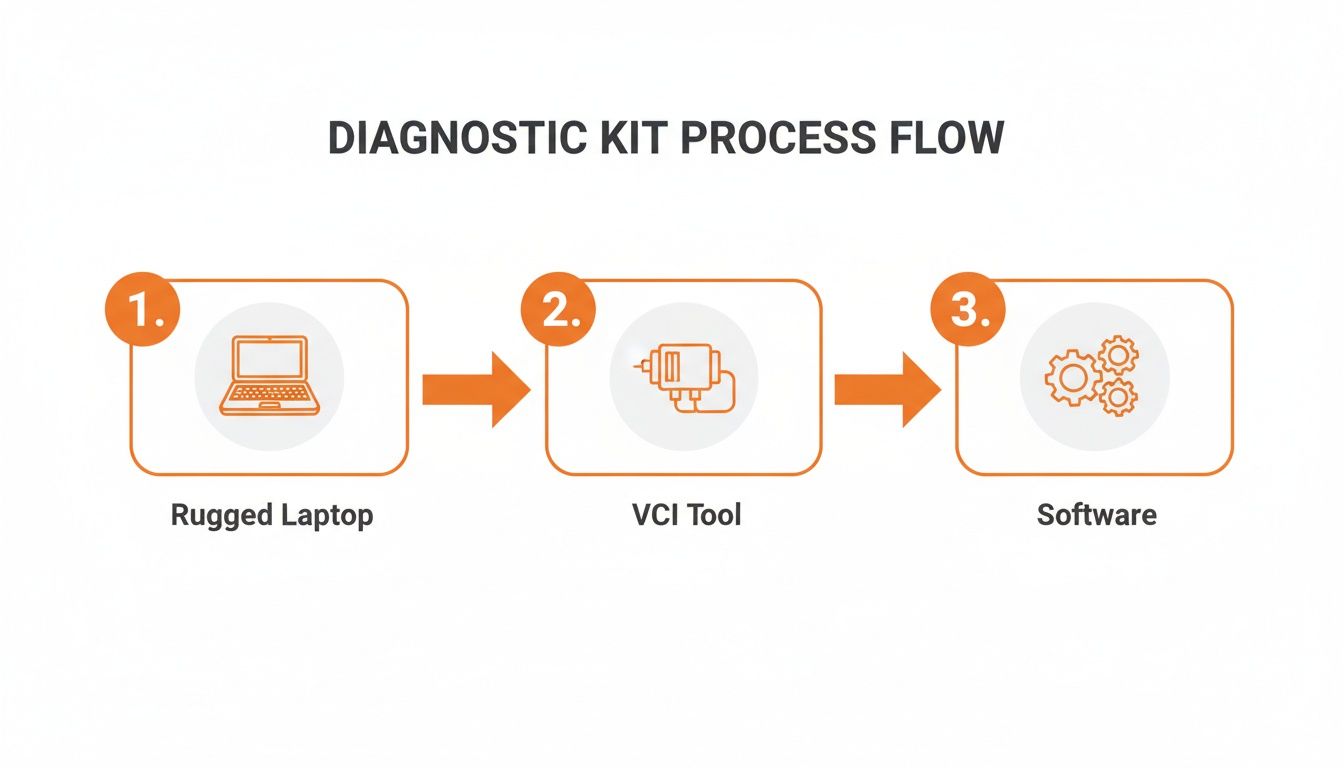
This process puts the power right back in your hands, completely cutting the dealer out of the loop.
Performing a Surgical Strike
By monitoring that live data, you stop being a parts-swapper and become a surgeon. You can watch exhaust temperatures climb, check voltage readings from both upstream and downstream NOx sensors, and monitor the DEF pump pressure. If the pump is commanding 100 PSI but only delivering 60, you’ve just found your culprit.
The dealer’s Service Master laptop is a gatekeeper, built to protect their service revenue. Your independent heavy equipment laptop scanner combo is a battering ram, built to get you through that gate and back on the job.
Even better, your software gives you bi-directional controls. This means you have the ability to command a "service regen" on your terms, right there in the field. You can also clear the active fault codes just long enough to move the machine to a safer spot instead of leaving it dead in the mud.
From Diagnosis to Done
Once you’ve performed this surgical strike and pinpointed the exact failed part, the last step is getting a replacement. You don't have to put up with the dealer's inflated prices and slow shipping anymore. You have the exact OEM part number from your diagnostic scan.
You call us at Flat Earth Equipment, give us that number, and we get the correct sensor, solenoid, or filter heading your way—often on the same day. No more waiting for a dealer tech to "confirm" a diagnosis you already made. No more paying for their travel time. Just a fast, accurate fix that you controlled from start to finish.
This kind of control is becoming absolutely essential. Heavy equipment laptop scanner combos are a massive driver of efficiency in construction and material handling, tying directly into the booming heavy equipment telematics market—a sector projected to explode from USD 1.33 billion to USD 3.21 billion by 2032. For service directors, laptops integrated with diagnostic scanners can monitor JCB telehandlers and other assets in real-time, catching problems before they cause crippling downtime. You can learn more about these powerful industry trends and get the full report on the telematics market.
Using Your Scanner To Find Parts Instantly
Your diagnostic combo is much more than a code reader—it's your secret weapon for nailing down the right part number, every single time. Forget about squinting at a grimy, oil-caked part number on a solenoid buried deep in a JCB backhoe’s engine bay. That old game of telephone, where a "B" somehow becomes an "8," is officially over.
With a proper handheld scanner tied into your laptop, you get instant, perfect identification. Just point the scanner at the barcode or QR code on the component. In less than a second, the exact OEM part number is on your screen with zero chance of a typo.
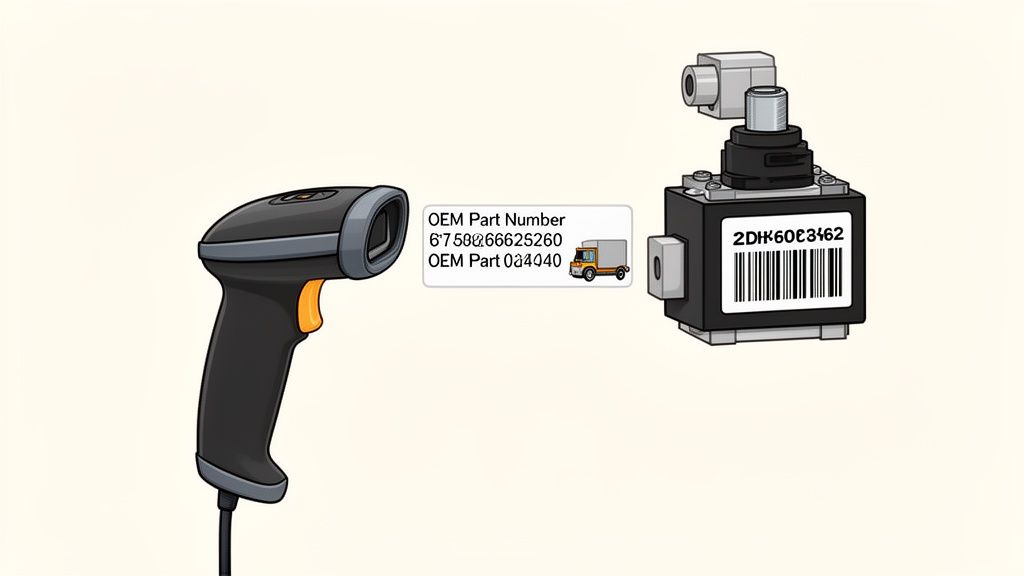
This one simple step cuts out the most common and frustrating mistake in field repairs: ordering the wrong damn part.
More Than Just Barcodes
Today's scanners in a heavy equipment tech's arsenal go way beyond simple barcodes. The real game-changer is Optical Character Recognition (OCR) technology. This incredible tech lets you point your scanner directly at a stamped VIN on a frame or a serial number etched into a hydraulic pump and read it instantly.
No more greasy rags trying to clean off a number plate. No more transcription errors. This is absolutely critical when you're working on older machines where the labels have long since worn away.
This fusion of laptops and heavy-duty scanners is changing the game in light construction diagnostics. It's no surprise that the document scanner market is projected to grow from USD 3.7 billion to USD 5.7 billion by 2034. Statistics show that 60% of industrial scanners are now paired with laptops for OCR-enhanced diagnostics, which slashes error rates by a reported 40%. You can discover more insights about the document scanner market and see how this tech is making its way into our world.
Your Mobile Command Center Workflow
This isn't just about convenience; it's about building a bulletproof workflow that turns your truck into a mobile command center. It collapses diagnostics and parts procurement into one seamless, powerful process.
Here’s how it actually looks out in the field:
- Diagnose the Fault: You hook up your laptop and pull a specific code—let's say it's for a faulty pressure switch on a telehandler.
- Locate the Component: You pop the hood and find the switch on the machine.
- Scan for Perfection: You zap the barcode or use OCR on the part number. The exact OEM number appears on your laptop.
- Order with Confidence: You call us at Flat Earth Equipment, give us that precise number, and we get the right part shipped out to you the same day.
The dealer parts counter wants you to be confused. They profit from your mistakes when you order the wrong part based on a blurry photo. A scanner removes all doubt and puts you in complete control of the transaction.
This workflow absolutely eliminates guesswork. You're not "pretty sure" it's the right part; you know it is. This is how you turn a three-day repair job—one day to diagnose, one day to get the wrong part, and one day to finally get the right one—into a single-day fix. It's the difference between looking like a pro and looking like an amateur, and it all comes down to having the right heavy equipment laptop scanner combo in your truck.
Building Your Independent Repair Toolkit
So, you're ready to stop waiting on the dealership and build your own freedom kit. This isn't about collecting a pile of shiny tools you'll never touch. This is a no-fluff, field-tested list for putting together a heavy equipment laptop scanner combo that actually puts money back in your pocket.
Think of this as a direct investment in your independence. Every piece you choose is another link you're breaking in the chain that ties you to the dealer's service bay. We're building a weapon, not a toy collection.
Your Must-Have Diagnostic Combo Checklist
Building a solid diagnostic kit for the field isn't complicated, but you have to get the fundamentals right. This checklist cuts through the noise and shows you exactly what you need to avoid buying the wrong gear and wasting money.
| Component Category | Key Feature To Look For | Why It Matters For Field Repairs |
|---|---|---|
| Rugged Laptop | MIL-STD-810G Certification | This is military-grade toughness. It means your laptop can handle drops, vibrations in the truck, and being covered in grease without dying on you. |
| VCI/Adapter | J1939, CAN, ISO 15765 Support | These are the languages your equipment speaks. Without a VCI that supports them, your laptop can’t talk to the ECM, making your entire setup useless. |
| Diagnostic Software | Bi-Directional Controls for JCB | This is the master key. It lets you command a regen, calibrate components, and test solenoids—functions the dealer usually locks you out of. |
| Handheld Scanner | 2D Barcode Imager | Forget trying to read dirty, busted-up part numbers. Just scan the barcode for instant, error-free identification. It saves time and prevents wrong orders. |
| Essential Cables | 9-Pin Deutsch & Specific Adapters | The 9-pin is your bread and butter for almost all modern iron. Having brand-specific adapters in your kit makes you the hero on any job site. |
This isn't just a list of parts; it's a recipe for self-sufficiency. Each component plays a critical role in getting machines back up and running without a call to the dealer.
Assembling the Pieces for Maximum Uptime
Let's break down the "why" behind this checklist. A military-spec laptop isn't overkill; it's insurance. The first time a consumer-grade laptop slides off a muddy fender and shatters, you'll wish you had spent the extra cash on something built for the job.
The VCI is the translator between your brain and the machine's ECU. A cheap one will constantly drop connections right in the middle of a diagnostic test, leaving you completely blind. You need one that supports J1939 and CAN protocols without a single hiccup. It's the heart of your entire diagnostic operation.
The dealer wants you to believe you need their officially "blessed" laptop to do anything meaningful. The truth is, a solid independent software package with OEM-level commands gives you the same power without the leash.
When it comes to software, you must demand bi-directional controls. This is non-negotiable. It's the difference between being a simple code reader and a true technician. This feature lets you actively test components and force actions, something the dealer counts on you not being able to do. A simple 2D barcode scanner becomes your shortcut to accuracy, ensuring you order the right part from a supplier like Flat Earth Equipment the very first time.
Finally, the cables. The 9-pin Deutsch is mandatory, but don't stop there. Having the right adapters for various makes and models in your truck means you're always prepared for whatever rolls onto the job site. This entire setup isn't an expense; it's your ticket to profitability and true independence from the dealer's grip.
Your Questions Answered By A Field Technician
Out here in the dirt, talk is cheap. You’ve got questions about ditching the dealer and investing in your own heavy equipment laptop scanner combo. You’re wondering if it’s for real or just more smoke and mirrors. Here are some straight, no-nonsense answers from a guy who’s been there.
Will Using A Non-Dealer Scanner Void My JCB Warranty?
This is the first scare tactic the dealer always throws at you. The short answer is no.
In the United States, the Magnuson-Moss Warranty Act is on your side. It says a manufacturer can't void your warranty just because you used non-OEM tools or parts. They have to prove that your specific tool or part directly caused the failure.
And for machines already out of warranty, it's a complete non-issue. Your goal is uptime, period. The cost of a machine sitting dead for two days while you wait on a dealer tech is almost always higher than any theoretical warranty concern.
How Hard Is It To Learn The Diagnostic Software?
If you can turn a wrench and use a smartphone, you can master this software. Seriously.
The best programs are designed for technicians, not computer scientists. It’s an intuitive process: connect to the machine, select the right model, and hit "Read Fault Codes." The software shows you the problem, and then you use live data to confirm it.
The learning curve is a hell of a lot less steep than the downtime curve you face every time you're stuck waiting on the dealer.
Can I Really Fix Complex DEF System Faults Myself?
Absolutely. A huge percentage of so-called "complex" electronic and DEF system faults are actually just simple component failures. The dealer's Service Master laptop makes it all seem like black magic, hiding the real issue behind proprietary menus and confusing language.
Your independent laptop scanner combo pulls back the curtain. It shows you that the "catastrophic aftertreatment failure" is really just a $150 NOx sensor that’s sending bad voltage. It turns a mystery into a simple parts swap.
With a solid diagnosis from your own kit and a quality replacement part, you can handle these jobs yourself and save thousands in labor and lost time. It's about taking the power back.
If you have specific questions about what you’ll need for your fleet of JCB or other yellow iron, it's always a good idea to get in touch with a tech-led support team who can give you straight answers.
When you’re ready to stop guessing and start fixing, Flat Earth Equipment has the high-quality sensors, solenoids, and filters you need to finish the job. Get the right parts with same-day shipping and take control of your repairs. Visit us at https://flatearthequipment.com to find what you need.