Yeah, you can absolutely diagnose Case and Cat with one scanner. But let's get one thing straight: this isn't about grabbing some shiny toy off a tool truck. The secret is a rugged, multi-protocol diagnostic tool that speaks the right electronic language—primarily J1939 and CAN bus—and having the right damn adapters for each machine. It’s the only way to break the dealer’s chokehold.
Why Your Mixed Fleet Needs One Scanner to Rule Them All
Let's cut the crap. You're out in the mud, a machine is down, and the clock is ticking louder than a bad lifter. The last thing you need is the dispatcher saying the dealer is quoting a two-week wait just to send their guy out with that magic "Service Master" laptop. That’s two weeks of lost revenue, two weeks of iron sitting idle, all because of a proprietary plug and software designed to keep you chained to their service bay.
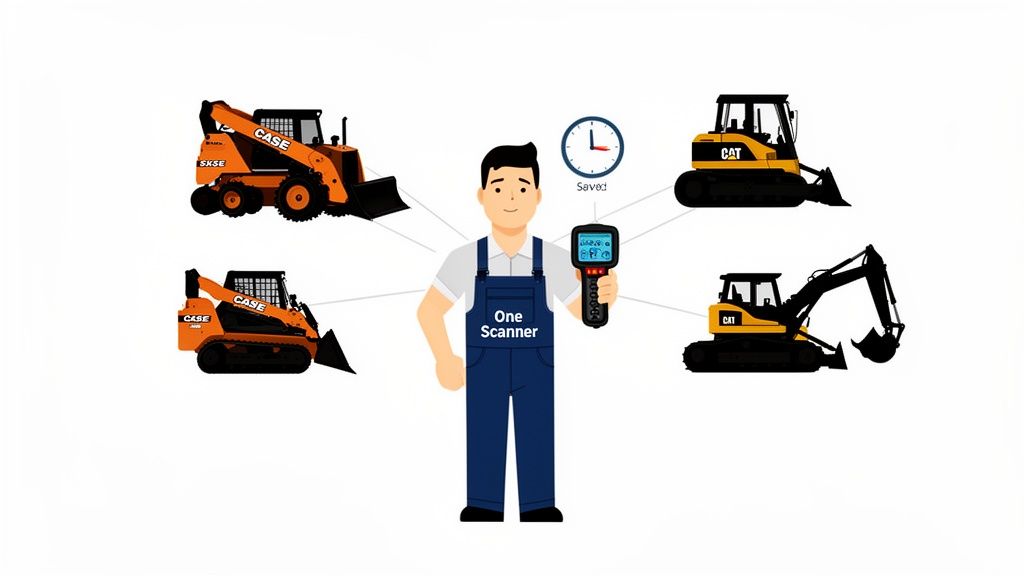
This whole game is rigged against the guys in the field. Every time a new piece of yellow iron rolls onto the job site, it comes with its own set of electronic headaches. A Case skid steer won't talk to a Cat dozer's software, and a JCB telehandler speaks its own dialect of digital nonsense. The manufacturers love this. It forces you back to their service bay for every blinking light and derate code—especially the finicky AdBlue/DEF systems that love to quit at the worst possible time.
From Parts Swapper to Problem Solver
For too long, we've been reduced to "parts swappers." The dealer pulls a code, tells you to replace a sensor, and sends you a bill for four hours of labor plus a two-day wait for the part. But was it really the sensor? Or was it a chafed wire, a bad ground, or a clogged filter upstream? Without access to live data, you're just throwing expensive parts at a problem and hoping something sticks.
A good universal scanner changes the entire equation.
It’s the difference between being a mechanic and being a technician. A mechanic turns wrenches; a technician reads the machine's mind. The right scanner is your Rosetta Stone for yellow iron.
Having one tool that can plug into a Case backhoe, read live AdBlue/DEF system pressures, and then jump over to a Cat excavator to force a parked regen cycle is no longer a luxury—it's a survival tactic. It puts the control back where it belongs: in your hands.
You stop chasing ghost faults and start pinpointing the real issue. That means you can get the parts you actually need—like the exact sensors, solenoids, and filters you can get from Flat Earth Equipment—without waiting for the dealer's blessing and their outrageous markup. And that gets your machine back to making money again. Fast.
Building Your Universal Diagnostic Go-Bag
Forget the dealer’s fancy briefcase. A real diagnostic go-bag is built in the field, not bought from a catalog. It’s that gritty, battle-tested collection of gear that lets you walk up to any piece of iron—whether it’s a Case loader or a Cat telehandler—and get right to the truth. Your scanner is the brain of the operation, but without the right hardware to back it up, it’s just an expensive paperweight.
The core of your kit is the physical connection. You'll live and die by the 9-pin Deutsch connector; it’s the workhorse on most modern equipment. But don't get too comfortable. Older Case machines might throw a proprietary plug at you, and certain Cat equipment demands a specific 14-pin adapter. You need them all. A complete adapter set means you're never locked out of a job because of a simple plastic mismatch.
Essential Connector and Protocol Checklist for Case vs Cat
To get connected and talking to a machine, you need the right plug and the right digital language. This table breaks down the essentials you'll encounter when jumping between Case and Cat equipment. Having these covered is the first step to a truly universal diagnostic setup.
| Component | Case Construction | Caterpillar | Field Notes |
|---|---|---|---|
| Primary Connector | 9-Pin Deutsch (J1939 Type I) | 9-Pin Deutsch (J1939 Type I) | The standard on almost all modern Tier 4 machines. It's your go-to. |
| Legacy Connector | Proprietary connectors on older models | 14-Pin Cat Adapter | The 14-pin is crucial for older Cat engines and machines. Don't leave the shop without it. |
| Primary Protocol | J1939 / CAN bus | J1939 / CAN bus | The main language for engine, transmission, and aftertreatment data. |
| Secondary Protocol | KWP2000 (on some older ECUs) | Cat Data Link (CDL) | This is Cat's proprietary protocol. Your scanner must support CDL to get full system access. |
As you can see, while both brands use the common 9-pin connector, Caterpillar's proprietary Cat Data Link (CDL) protocol is a major hurdle. If your tool can’t speak CDL, you’ll only be scratching the surface on Cat equipment.
Speaking the Right Language: J1939 and CAN Bus
Once you're plugged in, your scanner has to speak the machine's language. The two dialects you absolutely must know are J1939 and CAN bus.
Think of J1939 as the universal dialect for heavy equipment engines, transmissions, and aftertreatment systems. CAN bus is the broader network that ties everything else together—hydraulics, cab controls, telematics, you name it.
If your scanner can't handle both fluently, you're flying blind. It might read an engine fault but completely miss the hydraulic pressure sensor that’s actually causing the machine to go into limp mode. You need total system visibility, or you’re just making expensive guesses.
Having the right gear is non-negotiable. The veterinary CT imaging sector, for example, was valued at USD 297.1 million and is projected to hit USD 555.3 million by 2034. That growth is driven by having the right diagnostic tools for the job. Your go-bag is no different; it’s an investment in capability that pays for itself by slashing downtime.
The Software: Your Key to Unlocking the Machine
Finally, let's talk software. This is where the real fight for independence from the dealer happens. You want a package that gives you deep access without needing constant online "authentication" from the manufacturer.
Robust offline capabilities are a must. When you're out in a field with no cell service, the last thing you need is a tool that bricks itself because it can't phone home to the mothership.
Look for a platform that doesn't nickel-and-dime you with a separate subscription for every single brand. A good universal setup covers a huge range of manufacturers under one license. That way, you can diagnose a Case and a Cat with the same tool, then jump over to a Komatsu without missing a beat. And don't forget a reliable power source for your laptop. Our guide to heavy-duty battery chargers can keep you from getting stranded with a dead laptop mid-diagnosis.
Your go-bag should make you independent, not just another customer waiting for permission to fix your own iron.
From Field to Fix: A Real-World Diagnostic Workflow
Alright, enough with the theory. Let's get our hands dirty and walk through a real job. This is my exact process when a machine goes down, showing how I diagnose both Case and Cat equipment with a single scanner—no need for the dealer's expensive, proprietary junk.
Picture this: a call comes in about a Case backhoe. The operator's frustrated, saying it’s throwing intermittent DEF faults and occasionally derating. The dealer's first move? They'll schedule a tech for next Tuesday and start quoting you for a whole new aftertreatment system. My first move is to grab the go-bag.
The Case of the Backhoe's DEF Ghost
First things first, I connect my universal scanner to the machine's 9-pin Deutsch port. Once the software is up, I don't just pick a generic heavy-duty profile. I make sure to select the Case Construction equipment profile and punch in the machine's model. This tells the tool exactly what data points (PIDs) to be looking for.
Right away, the scan pulls up two codes:
- Active Fault: Low DEF Pressure. This is our smoking gun.
- Inactive Fault: High Soot Load. This one is old news—it happened 150 engine hours ago. Ignoring this kind of "ghost code" is critical. Chasing old problems is a surefire way to waste time and money.
Now, a lot of techs would see "Low DEF Pressure" and just order a new sensor. But that's a rookie move. Instead, I jump straight into the live data stream. I'm watching DEF pressure, pump command percentage, and temperature in real-time. The ECU is commanding the pump to 100%, but the pressure barely budges. That tells me it's not a faulty sensor lying to me; the pump is either weak or there's a blockage in the filter.
It’s a five-minute test that just saved the customer hundreds on a misdiagnosed sensor. Now I know I just need a filter, a part Flat Earth Equipment can get me tomorrow, not next week.
This infographic breaks down the simple but effective process of getting your own field-ready diagnostic kit put together.
This workflow—from having the right cables to using the right software profile—is what separates a quick, accurate diagnosis from a week of crippling downtime.
The Limping Cat Telehandler
Before I can even pack up my gear, another call comes in. A Cat telehandler on the same site is stuck in limp mode. No problem. I head over, swap out the standard 9-pin cable for my 14-pin Cat adapter, and connect to the very same scanner. Inside the software, I just switch the profile to Caterpillar, select the correct engine, and pull the codes.
The scanner screams "Low Boost Pressure." The rookie mistake here is to immediately start blaming the turbo. But once again, live data tells the real story. I pull up a custom screen showing engine load, turbo actuator position, and intake manifold pressure all at once.
Watching the live data, I can see the ECU is commanding the turbo actuator to move, but the sensor reading for its position isn't changing one bit. The turbo itself is fine; the electronic actuator is dead. That’s a part Flat Earth Equipment can have on a truck today, not next week.
This level of diagnostic precision is everything. Think of it like the medical field, where advanced imaging has become essential. The veterinary CT scanner market, for example, is projected to hit USD 383.8 million by 2035 simply because these tools boost diagnostic accuracy to 95%, preventing costly misdiagnoses. For us in the field, a single, powerful scanner provides that same level of accuracy, cutting out the guesswork that bleeds your budget dry. You can explore more about how diagnostic accuracy impacts various industries here.
By using data to confirm the failure, I can order the right part with 100% confidence. This whole process turns a potential multi-day disaster into just a few hours of focused work, all while keeping safety front and center. For a refresher on jobsite best practices, you can review these equipment safety guidelines.
Common Diagnostic Mistakes That Waste Your Time
Every seasoned tech has a graveyard of wasted hours from chasing ghosts in the machine. Diagnostics is never a clean line from a fault code to a fix, especially with the finicky electronics on modern equipment. This is my collection of screw-ups—both ones I’ve made and ones I’ve seen—so you don't have to repeat them.
The biggest rookie mistake? Blindly trusting a fault code. It’s the fastest way to burn through a customer’s budget and your own patience.
Don't Let a Code Dictate Your Diagnosis
A scanner screaming about a "low pressure sensor fault" is a clue, not a conclusion. Too many techs see that code, grab their phone, and order a new sensor. That's just playing the dealer's game of swapping parts until the light goes off.
Before you even think about replacing that part, you need to verify the actual problem. Is the pressure actually low? Hook up a manual gauge and see for yourself. A clogged filter, a weak pump, or a pinhole leak in a hydraulic line will all trigger that same code. The sensor is just doing its job—reporting what it sees. It’s not the problem itself.
I once spent half a day on a JCB telehandler with a recurring AdBlue/DEF fault. The dealer’s laptop said it was a bad NOx sensor. It wasn't until I checked the simple stuff that I found the real culprit: a frayed wire shorting against the frame only when the boom was raised to a certain angle. The dealer would've sold the guy a $1,200 sensor he didn't need.
The Ghosts in Your Electrical System
Another massive time-killer is ignoring the basics of the electrical system. You can’t diagnose complex electronics if the foundation is rotten. A weak battery or a corroded ground strap can cause absolute chaos, throwing phantom codes that send you down one rabbit hole after another.
Before you even plug in your scanner, do a quick pre-flight check on these basics:
- Battery Voltage: Is it strong and stable? Low voltage during startup can make ECUs throw all kinds of bizarre, unrelated faults.
- Ground Connections: Are they clean and tight? A rusty ground on the frame or engine block is a classic source of electrical gremlins.
- Connector Pins: Give them a quick look. Are they corroded or pushed back? A little green crust on a pin is all it takes to disrupt communication.
This simple check saves hours. It’s frustrating how much time can be wasted on a complex issue that was really just a simple connection problem. The whole point of the diagnostic process is to be accurate and fast to prevent costly mistakes.
Think about it this way: in the medical field, the veterinary CT scanner market is set to hit USD 383.4 million by 2035 because those high-resolution scans deliver 95% accuracy. That kind of precision slashes misdiagnoses and speeds up treatment by 30% in some clinics. Applying that same mindset—accuracy first—is what separates a real pro from a parts-changer. You can find out more about how advanced tools improve diagnostic outcomes.
Going Beyond Fault Codes with Advanced Diagnostics
Pulling codes is just the first inning. It tells you what hurts, but not why. The real magic of having a universal scanner isn't just listening to the machine's complaints—it's giving it commands. This is where you separate yourself from the parts-swappers and start doing the high-level work the dealer charges a fortune for, right there in the field.
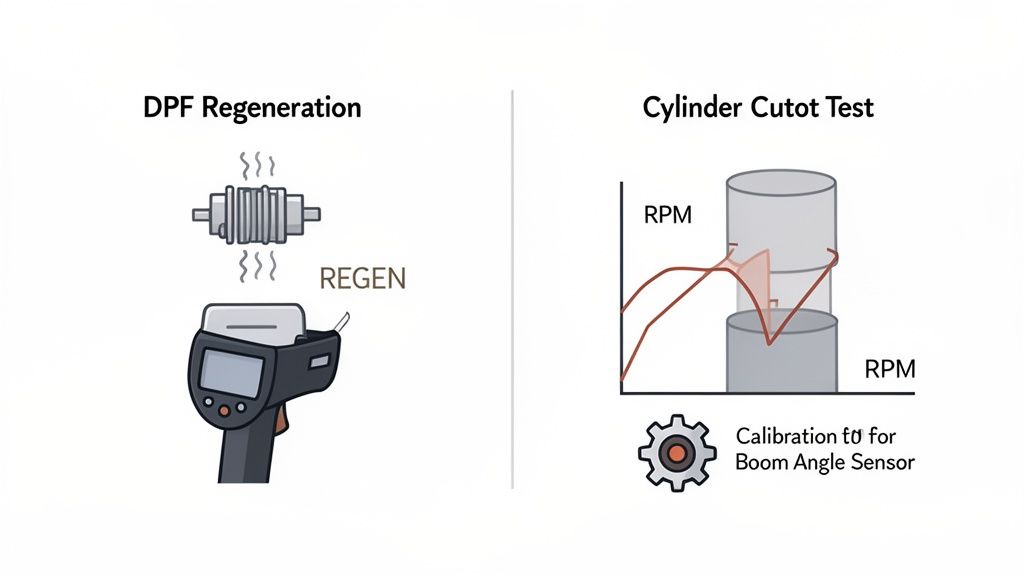
These advanced functions are what save a machine from getting loaded onto the lowboy of shame. They represent the difference between a few hours of focused work and a week of crippling downtime waiting for the dealer's tech to show up with his "Service Master" laptop. You become the solution, not just the guy who calls for help.
Forcing a Parked DPF Regen On-Site
Picture this: a machine is derated, flashing a high-soot-load warning. It's choked up and just can't complete its own regen cycle. The dealer's answer? Haul it to their shop, plug it in, and charge you thousands to push a button. It’s an absolute racket.
With a good scanner, you take command. Just navigate to the aftertreatment system, find "Service Routines" or "Active Tests," and kick off a parked DPF regeneration yourself. You can watch right on your screen as exhaust temps climb, soot levels plummet, and the fault codes clear themselves out. In about an hour, that machine is back at full power. You just beat the dealer, saved a massive haul bill, and got the machine making money again.
Pinpointing a Bad Injector with a Cylinder Cutout Test
Now, let's talk about a rough-running Cat engine. It's got a dead miss, but which cylinder is the culprit? Guessing gets expensive real fast when injectors cost over a grand a pop.
This is where a cylinder cutout test becomes your best friend. From your scanner's engine diagnostics menu, you can command the ECU to shut off fuel to each injector, one by one.
- You kill fuel to cylinder #1, and the engine RPM barely changes.
- You kill fuel to cylinder #2, and the RPM drops like a rock.
- You kill fuel to cylinder #3, and again, a big drop.
That tells you cylinder #1 wasn't pulling its weight in the first place. You’ve just found the lazy injector in under five minutes without even touching a wrench.
You’re no longer throwing parts at a problem; you’re using data to prove the fault. It’s like having X-ray vision for the engine. You order one injector from a supplier like Flat Earth Equipment, and that machine is making money tomorrow, not next week.
Calibrating New Parts to Keep the ECU Happy
So you’ve replaced a component, say, a boom angle sensor on a Case loader. You can't just bolt it on and call it a day. The ECU doesn't trust that new part yet; it needs a proper digital handshake. We call this calibration.
Your scanner walks you right through it. You’ll find the specific system, select the "Calibration" function, and just follow the on-screen prompts—things like "fully raise the boom," then "fully lower the boom." The ECU learns the new sensor's voltage range and accepts it as a trusted part of the team. If you skip this, you'll be chasing ghost codes forever. These are the functions that turn you from a tech into the go-to person who can diagnose and fix anything with wheels or tracks.
Your Questions Answered from the Field
I get these questions all the time from techs trying to break free from the dealer's grip. When you're trying to diagnose Case and Cat with one scanner, you're going to hit some hurdles. Here are the straight-up, no-nonsense answers I give to the guys in the trenches.
Can One Scanner Really Do It All?
Yes, but don't just grab the cheapest tool you can find. A true universal scanner for heavy equipment needs to speak multiple languages—mainly J1939 and Caterpillar's proprietary Cat Data Link (CDL).
Without CDL support, you're only getting half the story on a Cat machine. You'll be locked out of the most critical systems, plain and simple.
It’s about having a tool that’s as versatile as you are. One minute you're forcing a parked regen on a Case loader choked with soot, and the next you're running a cylinder cutout test on a Cat dozer. That's the level of capability you need to truly ditch the dealer.
What’s the Biggest Mistake Techs Make?
Believing the fault code without question. A code is a symptom, not the diagnosis. A "low boost pressure" fault on a Cat doesn't automatically mean you have a bad turbo; it could be a simple split in an intake boot, a clogged air filter, or a faulty sensor.
The scanner is a truth machine, but only if you ask it the right questions. Live data is where the real answers are. If the ECU is commanding the turbo actuator to move and your live data shows it's stuck, you’ve found your problem.
This approach saves you from swapping expensive parts on a guess. It's the difference between being a professional technician and just being a parts-changer for the dealer.
What if I Get Stuck?
It happens. Sometimes the machine just won't talk, or the codes don't make sense. Don't be afraid to step back and check your basics—grounds, battery voltage, and connector pins—before you go any further.
You aren't alone in this fight.
If you're hitting a wall and need some expert advice or a second opinion on a tough diagnosis, feel free to reach out to our team of experienced technicians. We've seen just about everything these finicky electronic systems can throw at you.
When you're ready to stop guessing and start fixing, Flat Earth Equipment has the sensors, solenoids, and filters you need to get the job done right, shipped the same day. Get the right parts without the dealer wait time.